

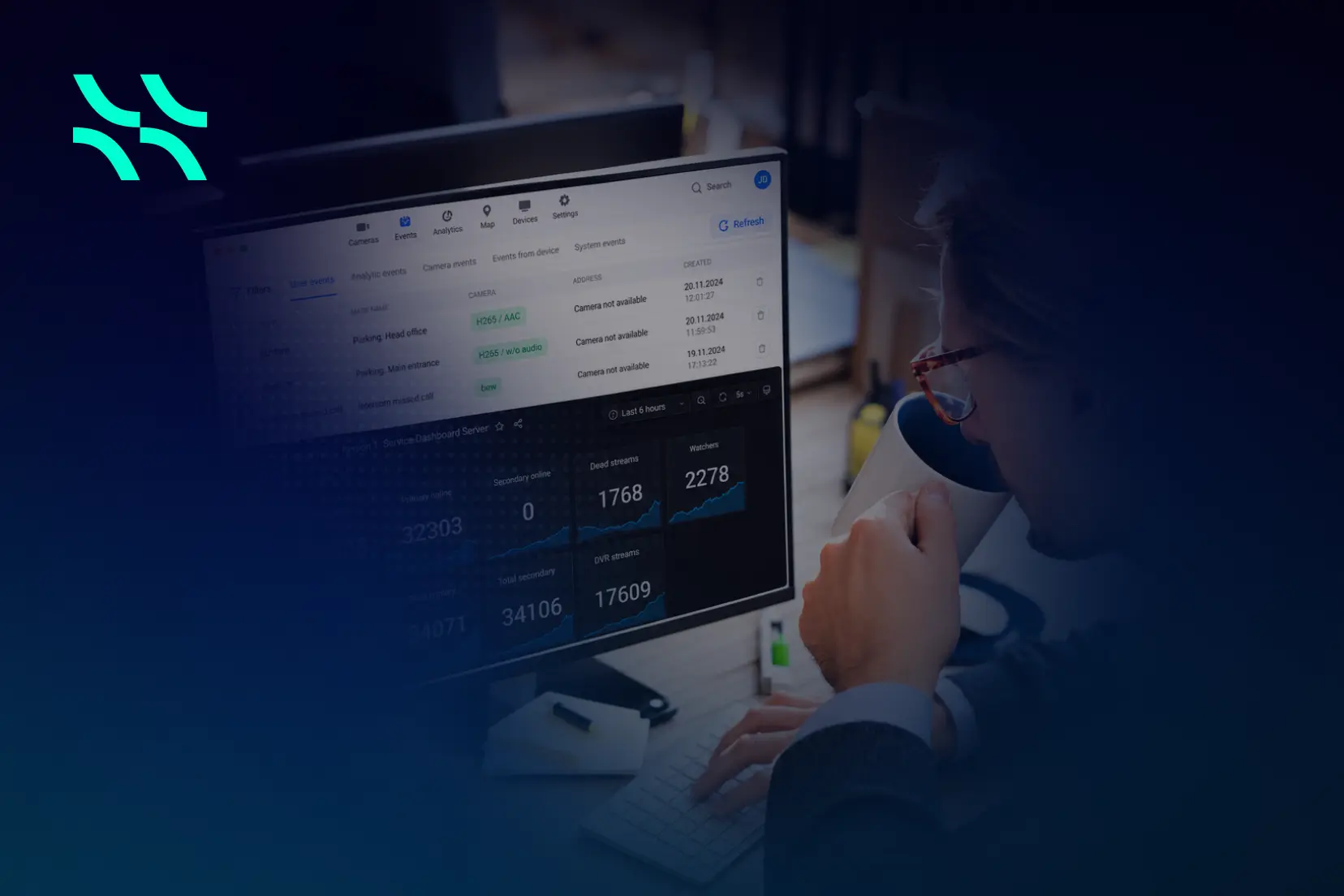
As a service expands, operators need to maintain control over the system management, support equipment at subscriber locations, and introduce software improvements across a growing device base. we address it through centralized administration, monitoring, remote configuration, and over-the-air firmware updates for supported edge devices.
1. Bringing distributed infrastructure into one system management environment
The challenge: Cameras, servers, users, and access devices are spread across locations, making it difficult to maintain a clear operational picture.
The Aipix solution: Centre de contrôle Aipix centralizes the administration, configuration, and monitoring of users, servers, devices, and integrated services. Its dashboards, statistics, reporting, and incident-tracking tools support troubleshooting from a shared management environment.
La Arbre de la plateforme adds a location-based view. Administrators can organize sites by city, street, building, entrance, and other levels, then manage the cameras and access points associated with each location. Cameras, intercoms, and BLE access devices can be brought together within the relevant property profile, with visibility determined by administrator permissions. This gives maintenance teams useful context when locating and investigating an issue.
2. Updating supported devices without a site visit via unified system management
The challenge: Firmware maintenance becomes expensive and time-consuming when each update requires access to equipment at a subscriber’s premises.
The Aipix solution: Aipix documents remote over-the-air—OTA—firmware updates for two device categories:
- Bridge d'Aipix, which connects local cameras to the Aipix service.
- Caméra (Agent), which integrates supported cameras with the platform through installed Agent software.
Administrators can initiate updates, and users with the necessary access can update their devices through the web interface. The firmware update itself does not require physical access to the hardware.
This is particularly useful for distributed deployments: an operator can introduce firmware improvements without turning every release into a separate field-service project. The documented OTA capability applies specifically to supported Bridge and Camera (Agent) devices.
3. Introducing firmware changes through controlled rollouts
The challenge: A new firmware version needs validation before it becomes widely available across a subscriber base.
The Aipix solution: Aipix provides a firmware repository with device-type and model selection, plus separate Testing et Published availability settings.
A controlled workflow can follow these steps:
- Upload firmware for the relevant Bridge or Camera (Agent) model.
- Make it available in Testing mode to selected users.
- Validate its behavior in the chosen deployment environments.
- Publish the firmware for wider availability when appropriate.
Administrators or users then initiate the applicable updates. Publishing a firmware version controls its availability; it does not, by itself, mean every device is automatically updated.
The Bridge update interface and Camera (Agent) update interface also provide update progress, success or failure notifications, the installed version, and the last update date.
For both device types, Aipix documents automatic rollback to the previous firmware when an update error occurs. Bridge must be En ligne, while Camera (Agent) must be Actif to start the update. These controls help operators manage rollout risk and verify the result.
4. Finding operational problems with monitoring and diagnostics
The challenge: Technical teams need enough information to identify the affected component and decide what action to take.
The Aipix solution: Aipix’s monitoring dashboards and alerts cover server and service health, including:
- CPU and memory usage.
- Network traffic and service activity.
- Camera, stream, and user statistics.
- Disk errors and storage consumption.
- A three-day storage-use forecast.
- Alerts for conditions such as excessive disk usage or incoming traffic falling below a configured threshold.
These tools support earlier investigation of capacity and service problems.
At the camera level, the Problem cameras list identifies devices with missing, inactive, or partially active streams. It provides status-change information and filtering to help administrators find the affected equipment.
For deeper investigation, Bridge device logs can be viewed and exported through its web interface for technical support. Camera (Agent) event logging is also available through the administrator’s logging section. These records give support teams concrete diagnostic information about device behavior.
5. Reducing repetitive configuration and supporting remote recovery with system management
The challenge: Repeating camera settings manually creates extra work and makes configuration consistency harder to maintain.
The Aipix solution: Aipix supports reusable camera configuration templates. Depending on the camera’s capabilities, these can include time synchronization, HD and SD video encoding, supported audio settings, and on-screen text.
Administrators can save configurations as templates and apply them to other cameras. The interface shows configuration status, and if an import fails, the camera retains its existing settings while the administrator receives a notification.
6. Managing supported intercoms remotely
The challenge: Access-service maintenance includes frequent changes to apartment settings, subscriber associations, keys, and access rights.
The Aipix solution: Aipix’s API-based intercom integration supports centralized administration of these functions. Operators can manage supported panel settings and user access through the platform, alongside intercom-camera recording and stream settings.
Aipix also describes online/offline status monitoring, stream-error and connection-failure tracking, event logs, and remote diagnostics for integrated intercom panels. These capabilities help reduce routine visits for configuration and troubleshooting.
The available management functions depend on the intercom vendor and integration. Operators should therefore match the maintenance workflow to the supported capabilities of the deployed panel.
7. Supporting devices while controlling access to subscriber video
The challenge: Technical staff need device information and maintenance controls, while subscriber video access must remain appropriately restricted.
The Aipix solution: The documented administration models for Bridge and Camera (Agent) separate technical device management from access to subscriber video.
The Bridge administrator interface restricts access to camera streams and archives; the Camera (Agent) guide similarly limits administrators to technical parameters without access to the video stream.
Permissions also determine who can manage firmware and change recording settings. This allows maintenance responsibilities to be assigned according to the operator’s access model.
Making ongoing service maintenance easier to scale
Aipix connects platform support, centralized diagnostics, reusable configuration, and controlled device updates into the ongoing operation of its services.
These capabilities deliver practical benefits for both service providers and their customers. By enabling remote monitoring, diagnostics, and device management, service providers can respond to incidents faster, reduce operational workloads, and minimize the need for on-site technician visits. Issues can often be identified and addressed remotely, helping teams manage growing service networks more efficiently.
For end users, this translates into a more reliable service experience, faster issue resolution, and less disruption — without unnecessary waiting for a technician to arrive.
To explore how these capabilities can improve your operations, get in touch with our team for a detailed demonstration and discover how our unified platform can support your video surveillance and access control services.




 FR
FR  EN
EN  ES
ES  PL
PL  PT
PT